Metadata from Pictures and Photographs
Introduction
In the modern world, photographs and pictures are being more commonplace. The costs of creating and printing them have come down. And nowadays you don't even need a camera to take pictures; the ubiquitous mobile phones can take pictures as good in quality as cameras were a few years ago. However, with the increasing ease of picture taking, the proliferation of files increases exponentially.
Trying to manage photographs is not the easiest thing. One system which seems to work is the creation of folders for a location, and subfolders for dates taken. However, there are two drawbacks with this system:
- It requires a certain degree of organising, especially if photographs from several locations were taken on the same day, for instance on a site visit.
- Such ordering makes it more difficult to re-order by other attributes, such as by date instead of by location, by date.
Thankfully, there is a solution.
Most commonly used image metadata
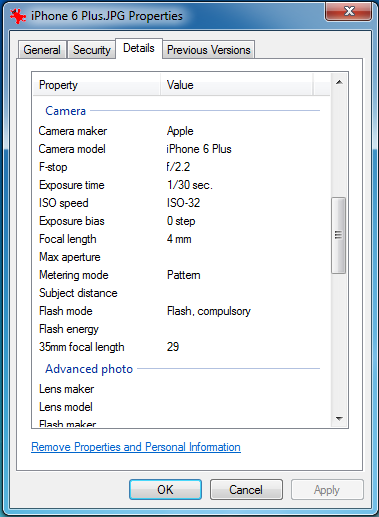
Cameras and other mobile devices don’t only store the actual image in the file. These are called metadata, also known as document properties or file properties. In addition, it stores information which is largely there for the computer to use.
- Most importantly, the camera make or model are captured, so it is easy to identify which pictures were taken on which camera, so it is possible to separate them. More information is available here.
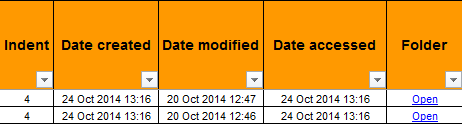
- The camera also records the date and time when the picture was taken. If the device is set up correctly, then this can be used to retrieve the accurate date. This is important because, all too often, the Last Modified Date shows the date the picture has been loaded onto the computer, not the date taken. Find out more information here.
- Additional photographic metadata also record how the picture was taken, in terms of aperture, focus and flash, and for GPS enabled cameras and phones, the location can also be recorded.
- There are also document properties for images as well as photographs, such as the resolution and color depth.
Hopefully, you can see how important this information is.
How best to use them?
Unfortunately, it is not obvious or easy how to access them, or how to use them. Whilst it is possible to view these singly, it is more difficult to them for more than one file at once in Windows Explorer – and it is important to capture them for further use.
This may be manageable for (say) up to five photos, and there are specialised programs such as Google Picasa which can do a good job at investigating them. The problem with these is that they are closed-box systems; information is easy to enter, but difficult to extract. You can’t, for instance, copy and paste information from such a program for pictures en masse. You are limited to the functionality which the program offers.
Instead, the best way could be to capture them in a table or spreadsheet. This way, you can see the variety of data you have, and can filter, sort or send to colleagues the information.
I’ll talk about how this can be accomplished near the bottom of this page - but you can download it now.
But before that, let's find out what specifically are:
- image metadata,
- photograph metadata,
- GPS metadata, and
- metadata common to multiple types of files.
Common metadata
Some of the more obvious file properties which may not strictly be metadata include file names, file sizes, path and relevant dates. However, these dates may not be reliable - see this article for more information.
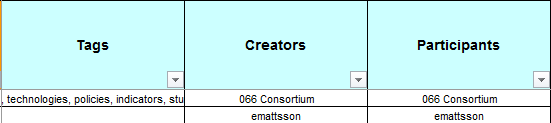
Additional metadata include any categorisation you may have given (such as Tags and Categories), together with the type of file. More details available here.
Image Document Properties
In addition to document properties which are common to several types of files, image metadata include the following:
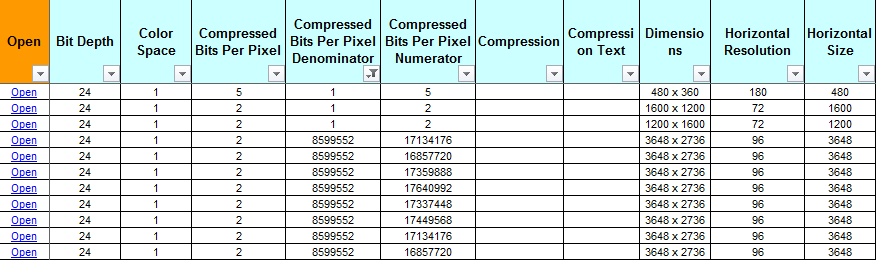
- Bit Depth
- Color Space
- Compressed Bits Per Pixel
- Compression
- Compression Text
- Dimensions
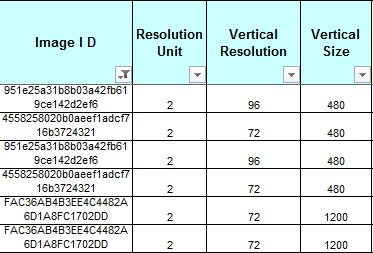
- Horizontal Resolution
- Horizontal Size
- Image I D
- Resolution Unit
- Vertical Resolution
- Vertical Size
Photograph Document Properties
Cameras and mobile phones record a lot of metadata about the device. The most useful is the name of the device, so you can see which set of photographs were taken with the same camera, and the date and time that the camera believes the photographs were taken.
Of course, it does depend on the camera being set up correctly. In one case, it was found that a particular camera was wrongly set up by 2 years and 2 days, and stayed that way for a year before it was corrected.
However, much more metadata is stored than these two items, which could be useful under the right circumstances.
Sometimes when photographs are changed, it loses all other metadata when it is resaved. However, this is not always the case, and presence of metadata should not be taken as proof that a photograph is genuine.
Common photograph metadata include:
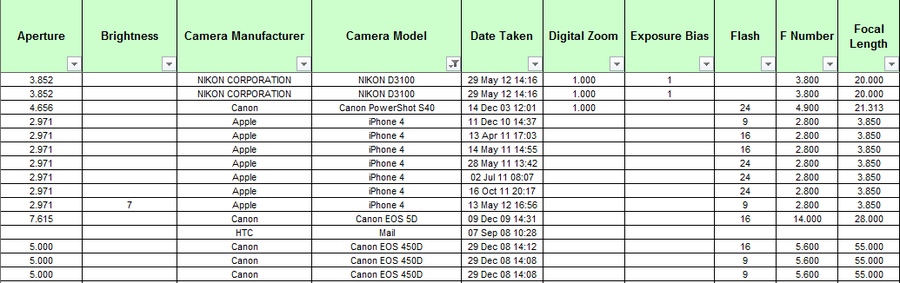
- Aperture
- Brightness
- Camera Manufacturer
- Camera Model
- Camera Serial Number
- Date Taken
- Digital Zoom
- Exposure Bias
- Exposure Index
- Flash
- F Number
- Focal Length
Less common photograph file properties include:
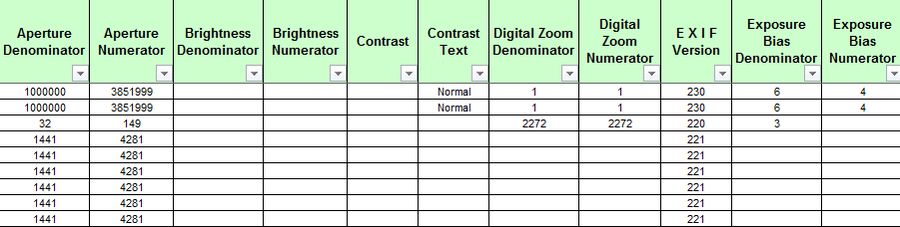
- Aperture Denominator/Numerator
- Brightness Denominator/Numerator
- Contrast number and text
- Digital Zoom Denominator/Numerator
- Event
- E X I F Version
- Exposure Bias Denominator/Numerator
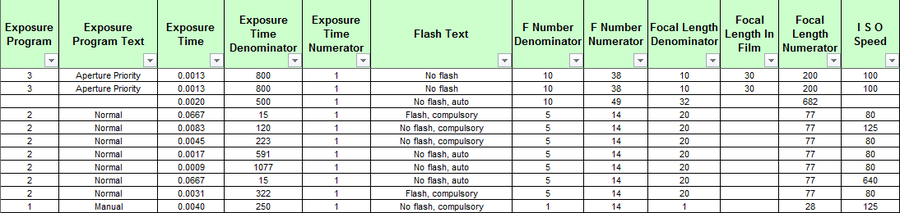
- Exposure Index Denominator/ Numerator
- Exposure Program number and text
- Exposure Time, and Denominator/ Numerator
- Flash Energy, and Denominator/ Numerator
- Flash Manufacturer
- Flash Model
- Flash Text
- F Number Denominator/Numerator
- Focal Length Denominator/Numerator
- Focal Length In Film
- Focal Plane X Resolution, and Denominator/Numerator
- Focal Plane Y Resolution, and Denominator/Numerator
- Gain Control, Text, and Denominator/Numerator
- I S O Speed
- Lens Manufacturer
- Lens Model
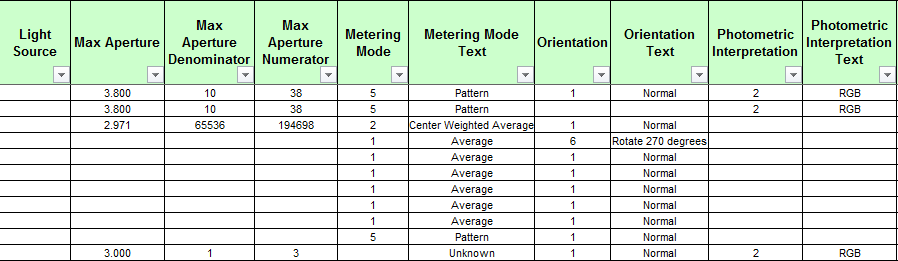
- Light Source
- Maker Note, and Offset
- Max Aperture, and Denominator/Numerator
- Metering Mode number, and Text
- Orientation number, and
- People Names
- Photometric Interpretation number and Text
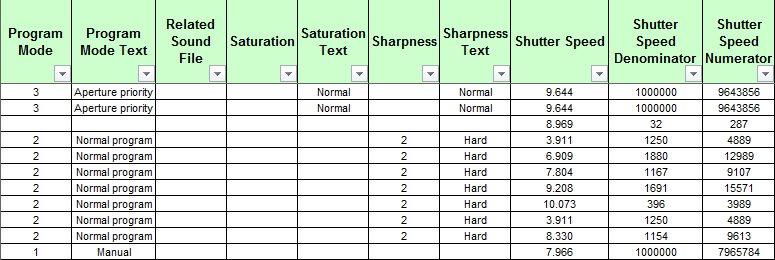
- Program Mode, and Text
- Related Sound File
- Saturation number and Text
- Sharpness number and Text
- Shutter Speed, and Denominator/Numerator
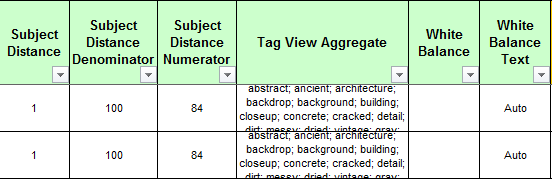
- Subject Distance, and Denominator/Numerator
- Tag View Aggregate
- Transcoded For Sync
- White Balance number and Text
GPS document properties
Additional GPS metadata can also be retrieved - see this article for more details.
So, how can I capture this metadata?
A swift and easy way of capturing the data in your folders is by using a metadata extractor. Because this information is so important, but not easy to get, we have developed two different products:
- Filecats Professional is for computers with Microsoft Excel, and imports this information into a spreadsheet, so you can filter, sort, annotate and email. You can also create PivotTables in a few minutes - see this article to show how.
- Filecats Metadata does not require Microsoft Excel. Instead, it creates a standalone table and imports the information into that. From there, you can sort, filter and create analyses similar to PivotTables in just a few clicks - see this page for more details.
Want to see it in action? Have a look at the view below.
Alternatively, why not open this spreadsheet generated by metadata extractor Filecats Professional of several hundred photographs.

Generated by Filecats Professional
CataloguePictures14031.xls
Microsoft Excel sheet [630.5 KB]
There's a free 7-day trial. Download it now - what have you got to lose?
More articles are here. Alternatively, take the Features Tour below.