Manual (Part 2 - Filecats Explore and Filecats Metadata)
Table created
After the cataloging process has been completed, the table is then presented. The table can then be filtered, sorted, copied, and analyses can be created.
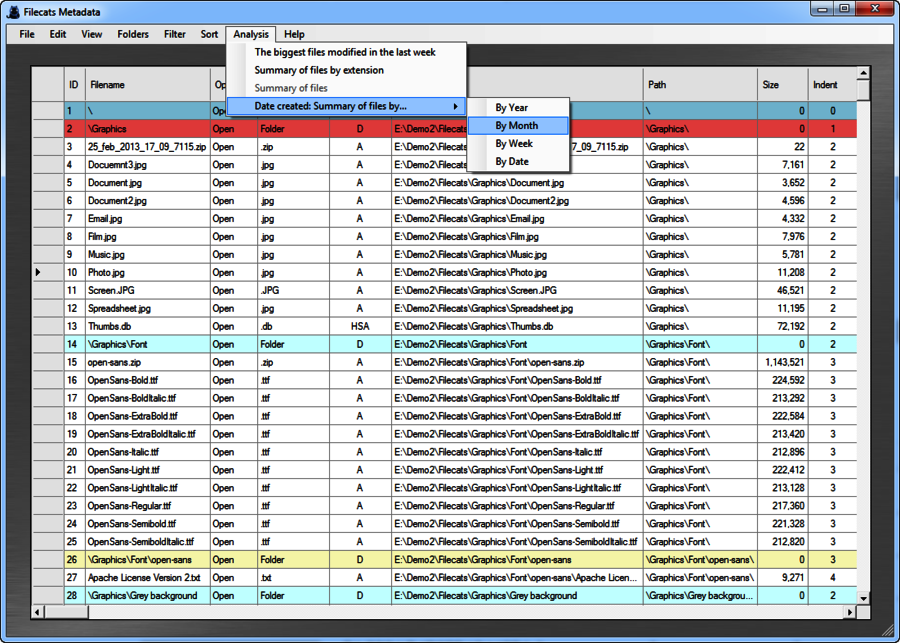
Columns created
The columns which are created in both Filecats Explore and Filecats Metadata are as follows:
- ID - This is a sequential number created at the time of cataloging. It can be used to identify a specific file, and is also requested by some electronic disclosure processes.
- Filename - This is the full filename, including extension.
- Open - This is a hyperlink. It requires that the file type has previously been registered in the computer. It is equivalent to double-clicking on it in Windows Explorer.
- File Extension - This is the last bit of the file name or, if a folder, the word "Folder" would be shown.
- Attributes - This shows whether the item is a Directory (Folder), Read-only, Hidden, System or Archive. See this attributes article for more details and its uses.
- Folder path - This is the full path, including drive letter, subfolders and filename.
- Path - This is the path, starting from the folder that was cataloged. For example, if the folder E:\Demo2\Filecats was catalogued, then the path for E:\Demo2\Filecats\Graphics would be \Graphics\. This does not include the filename.
- Size - The size of the file in bytes (for files only).
- Indent - This starts with zero for the original folder cataloged, and increments by one for each subfolder, so the folder E:\Demo2\Filecats\Graphics\ would be 1. For files, it is incremented by an additional one, so the indent for E:\Demo2\Filecats\Graphics\Document.jpg would be 2.
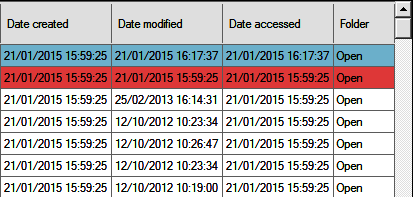
- Date created, Date modified and Date accessed. These are the dates as reported in Windows Explorer. However, as shown in the article "Windows Dates and Metadata Dates", these dates can be misleading, and the document property dates can be more accurate.
- Folder. This is a hyperlink which opens a Windows Explorer window which opens to the folder of the relevant file.
Additional columns are created in Filecats Metadata, based on the quantity of metadata desired.
Menus
The following menus are available in Filecats Explore and Filecats Metadata.
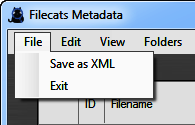
File Menu
- "Save as XML" - this saves the table in XML format, a universal format which can be opened in Microsoft Excel and other applications.
- "Exit" - this closes the table.
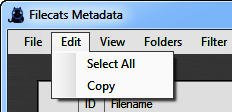
Edit Menu
- "Select All" - this selects the entire table, which can also be done by clicking on the top-left cell. You can also copy individual cells by selecting them.
- "Copy" - this copies the selected cells into the clipboard. If you have a large table or selection, then this may take some time.
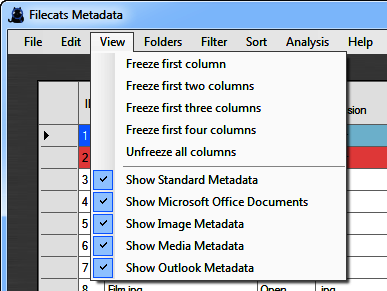
View Menu
- "Freeze columns" - this freezes the first one to four columns in the table, so that they are visible in the table at all time. Columns can be moved beforehand, so you can customise which are the first few columns.
- "Unfreeze columns" - this releases any previously frozen columns.
- "Show ... Metadata" - for Filecats Metadata, this hides or shows previously cataloged document property columns, so that you can focus on a reduced number of columns.
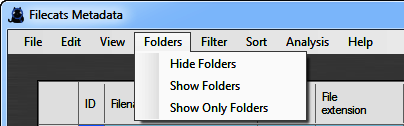
Folders Menu
- "Hide Folders" - this shows all folders, so that only files are visible.
- "Show Folders" - this reintroduces hidden folders.
- "Show Only Folders" - this hides all files, so that only folders are visible.
Filter Menu
Filtering temporarily removes from view items which do not fulfil crteria that you can set. For example, you can show only files which start with the letter "S", or files which have been modified in March 2015.
Filters can be combined, so you can only show files which start with the letter "S" which have been modified in March 2015.
Any analyses can then be undertaken with this reduced list.
The temporary filtering can be removed at any time.
- "File Name starts with" - this opens a dialog box, into which you can enter one or more characters. The table will then be filtered so that only files or folders which start with those characters will remain.
- "Current Folder only". If a folder is highlighted, this will show only that folder and all those files which are contained in it. If a file is highlighted, it will show the folder which that file is contained in plus that folder's files.
- "Current Folder and subfolder". This is as above, but it will also show any subfolders and files in those subfolders.
- "Filter Selected Column". This filtered the column where the cursor is in as follows:
- "Starts With" - this filters the selected column by the characters which you enter into a dialog box.
- "Is Equal To" - the filters the column by the exact phrase only which you enter into a dialog box.
- "Is Greater Than" - this filters the columns to be greater than what you enter. For example,
- if you enter "S" with the cursor in the filename column, then it will show all filenames (or folder names) starting "S", "T", "U" etc., but not if the filename is exactly "S".
- If you enter 100000 with the cursor in the size column, then it will show all files with a size greater than 100,000 (but not equal).
- "Is Greater Than or Equal To" - this does the above, but also returns files matching the entry exactly.
- "Is Less Than" - This does the above, but returns files less than the entry (but not including).
- "Is Less Than or Equal To" - This does the above, but returns files less than and including the entry.
- "Between" - This returns files which are greater than and equal the first entry, but less than and equal the second entry.
- "Remove All Filters" - this removes any filters previously added.
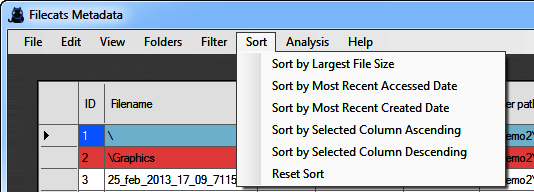
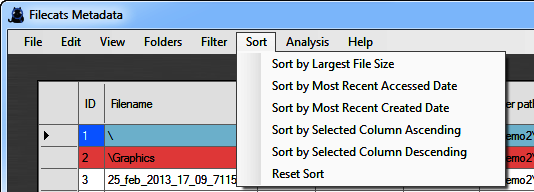
Sort Menu
- "Sort by Largest File Size". This sorts the table, with the biggest file at the top. This can also be achieved by clicking (twice) on the "Size" folder.
- "Sort by Most Recent Accessed Date" and "Sort by Most Recent Created Date". This also sorts the table by the relevant date.
- "Sort by Selected Column Ascending/Descending". This sorts the column which is currently highlighted.
- "Reset Sort". This re-sorts the table in its original order, i.e. by ID number.
Analyses
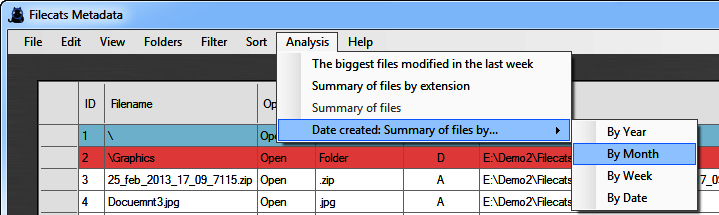
The Analysis Menu creates instant analyses akin to PivotTables in Microsoft Excel (except for the first one, which is a filter).
The table can be filtered beforehand, so that analyses can be done on a reduced list. For example, if you had filtered on Word documents by filtered on all extensions starting with .doc, then any analyses will only be done on these Word documents.
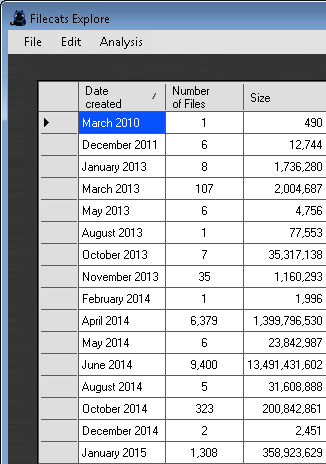
The following analyses are possible:
- "The biggest files modified in the last week" - This filters the table so that it shows only files which have modified in the last seven days, and sorted by file size descending, so that the largest file size is at the top. This could enable you to see where your hard drive is gone.
- "Summary of files by extension". This shows a summary of the various types of extension, together with the number of files and the total file size.
- "Summary of files". This summarises the selected columns - for example, if your curosr is in the attributes column, it will summarise the different attributes shown in the table, with the total number of files and file size.
- "Summary of files by...". If your cursor is in a date column, it will group together the dates by year, by month, by week or by date, and calculates the number of files and file size.
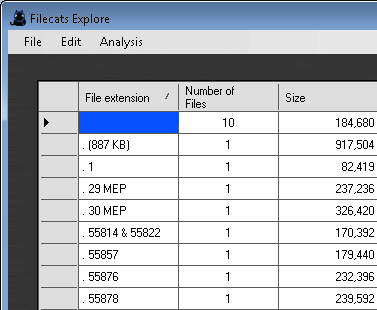
The analysis can be copied and pasted into your favorite application or an email.
To exit the analysis and return to the table, click "Finish analysis".
The combination of sorting, filtering and analyses should be sufficient to create most analyses you may want. If you want more, then you can copy the total or any part of it into another application and do additional analyses there.